 AI Talk Assistant
Deleted messages stay.Read them first,no read receipts.
Notifications from 10 messengers, from KakaoTalk and LINE to Telegram and SMS, gathered by chat room. Get alerted when your name comes up in a group chat, send plans to your calendar, and let AI summarize long conversations as they flowed.

- KakaoTalk
- LINE
- Telegram
- Slack
- Teams
- Messenger
- Naver Band
- SMS
Every chat in one place,
nothing important missed.
10 messengers in one place
KakaoTalk, LINE, WhatsApp, Telegram, Instagram, Slack, Teams, Messenger, Naver Band and SMS. Turn on only the ones you use and reorder the tabs.
Deleted too, no read receipts
Messages AI Talk Assistant received stay even if the sender deletes them. Since you have not opened the messenger, they still show as unread to the sender.
Important chat alerts
Collects only the chats that mention your name or words you choose, like “deposit” or “deadline”. Even in muted group chats, you get an alert when they come up.
Plans and deadlines
Gathers times from your chats, like “7 tomorrow” or “by Friday”, in date order and adds them to your calendar in one tap.
Export · Backup
Save a chat room as a file in the same format as KakaoTalk export, and move everything to a new phone with a single backup file.
AI summaries
Even a group chat with hundreds of messages becomes one page that follows the conversation. Message count, participants and duration are shown too.
This is exactly what you get
These are the real app screens from the store listing, in Korean. The chats are demo content.
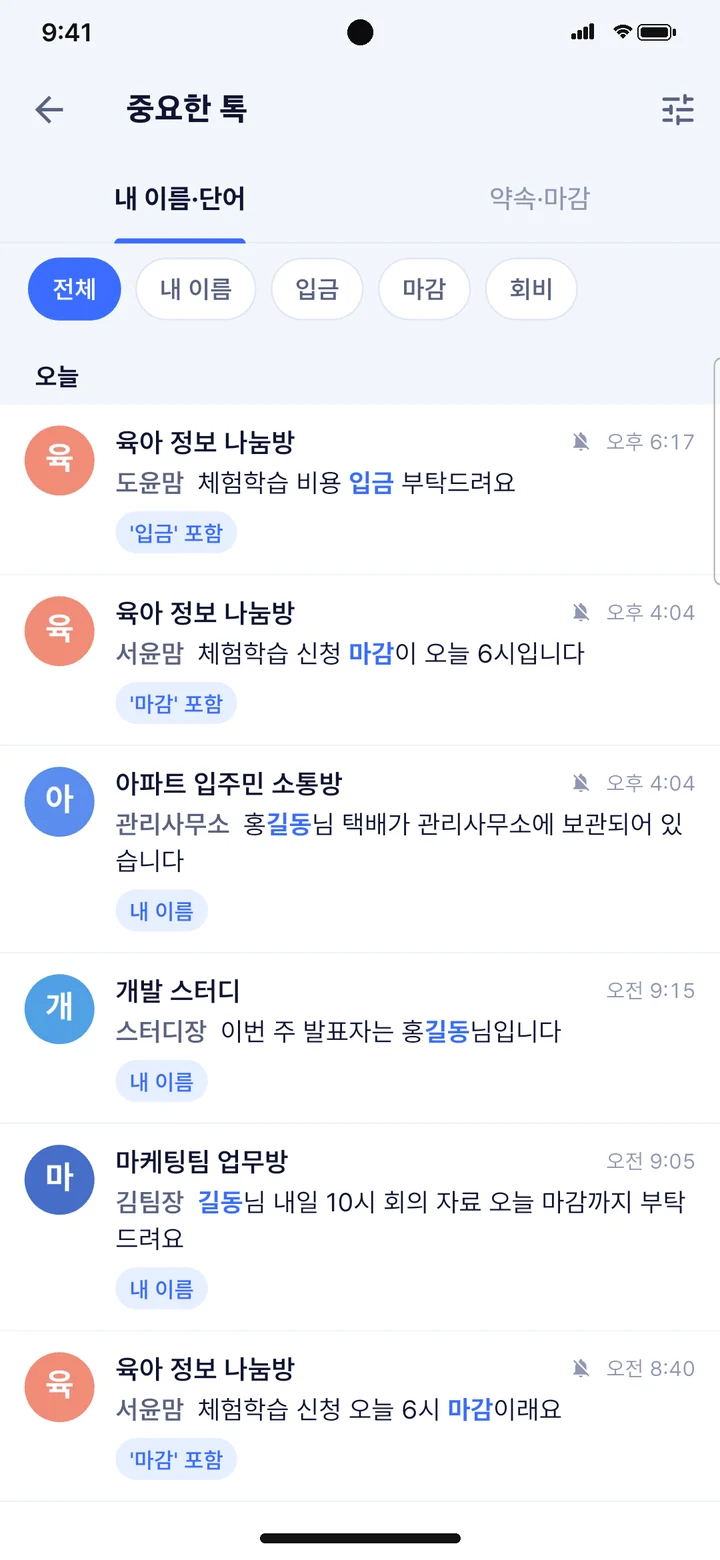
When someone calls you in a group, you won’t miss it
- See only chats with your name, nickname or chosen words
- Alerts even in muted rooms when those words come up
- Matching happens on your phone; chats are not sent to a server
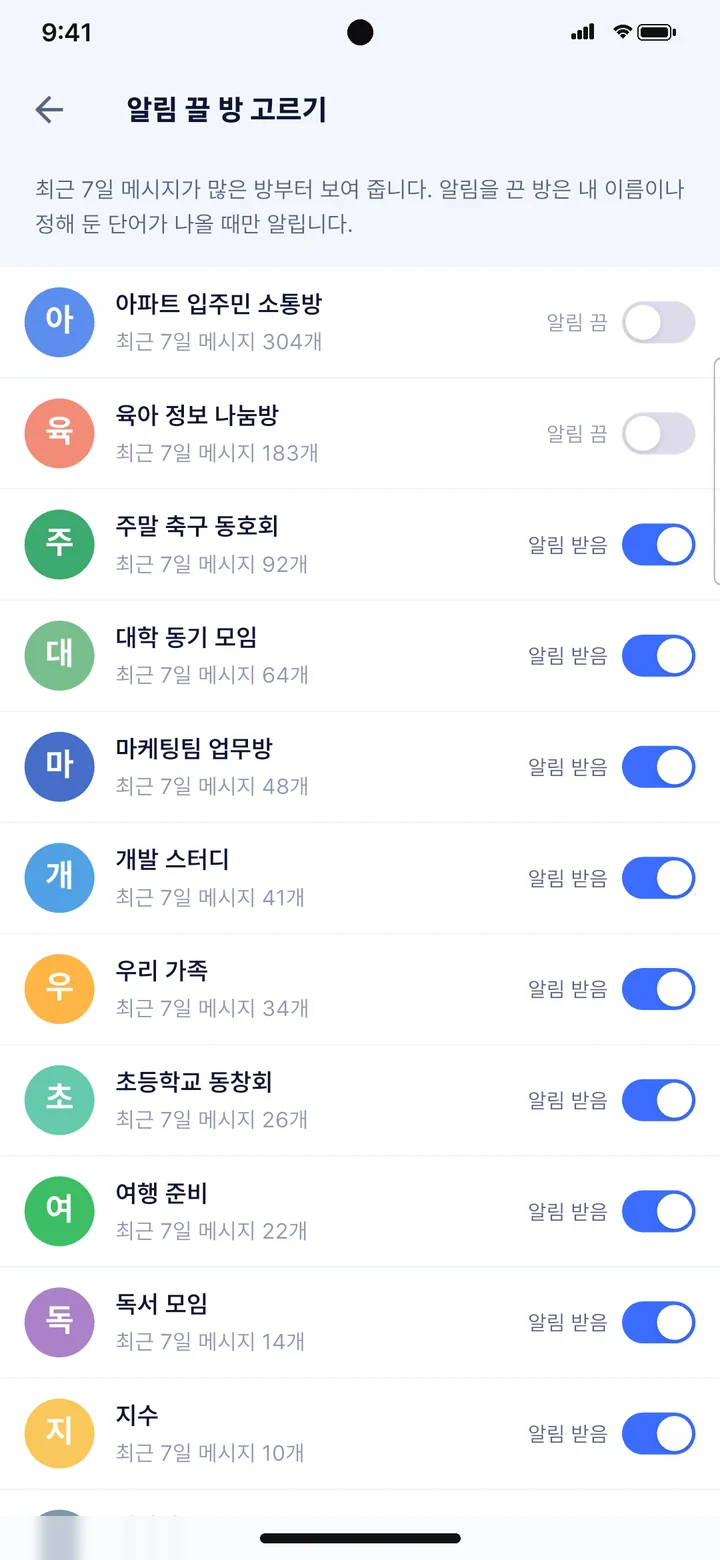
Mute the noisy rooms, get alerted for what matters
- Rooms with the most messages in the last 7 days come first
- Mute a room with one switch
- Messages keep collecting even when muted
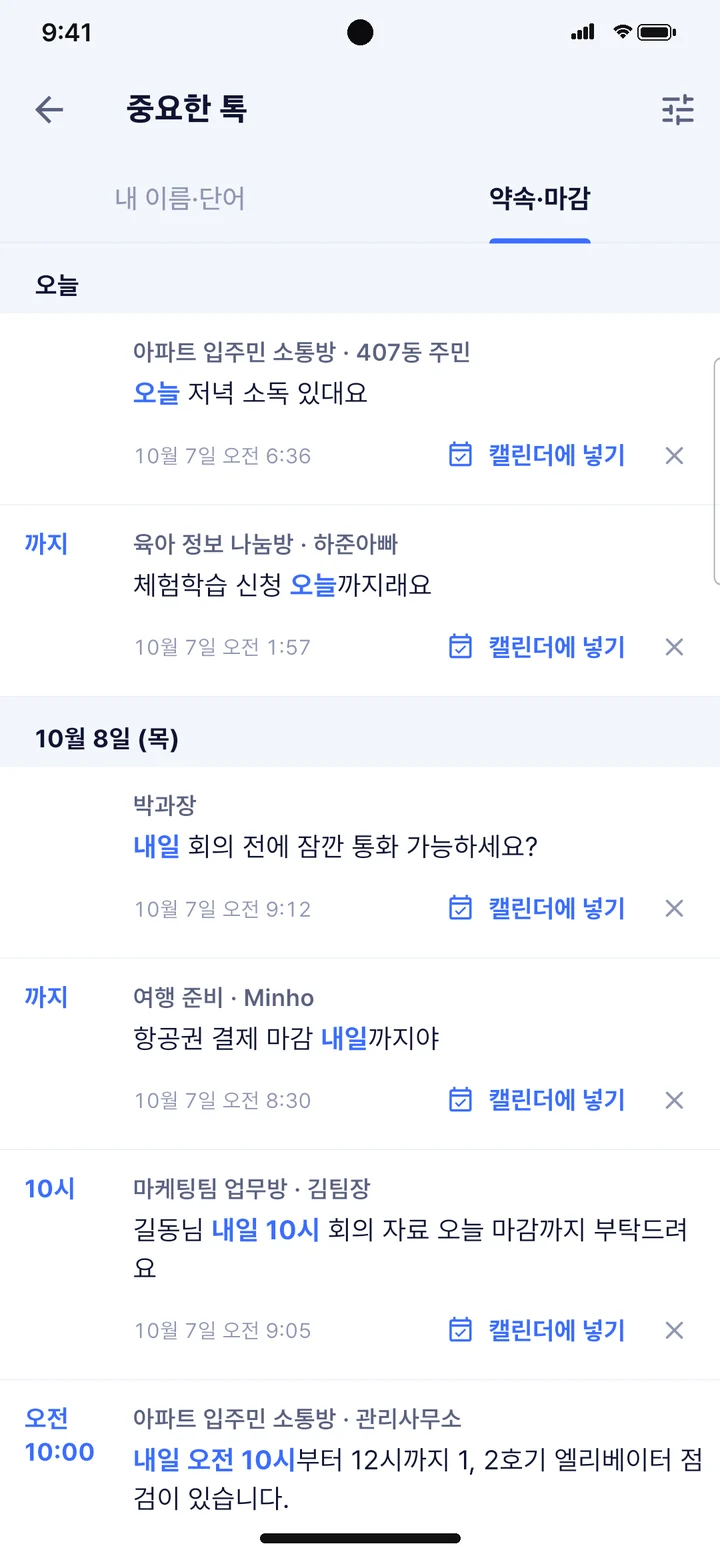
Plans in your chats, straight to your calendar
- “7 tomorrow”, “by Friday”, “Oct 15, 3 pm”, in date order
- Add to your phone’s calendar in one tap
- Dates are read on your phone
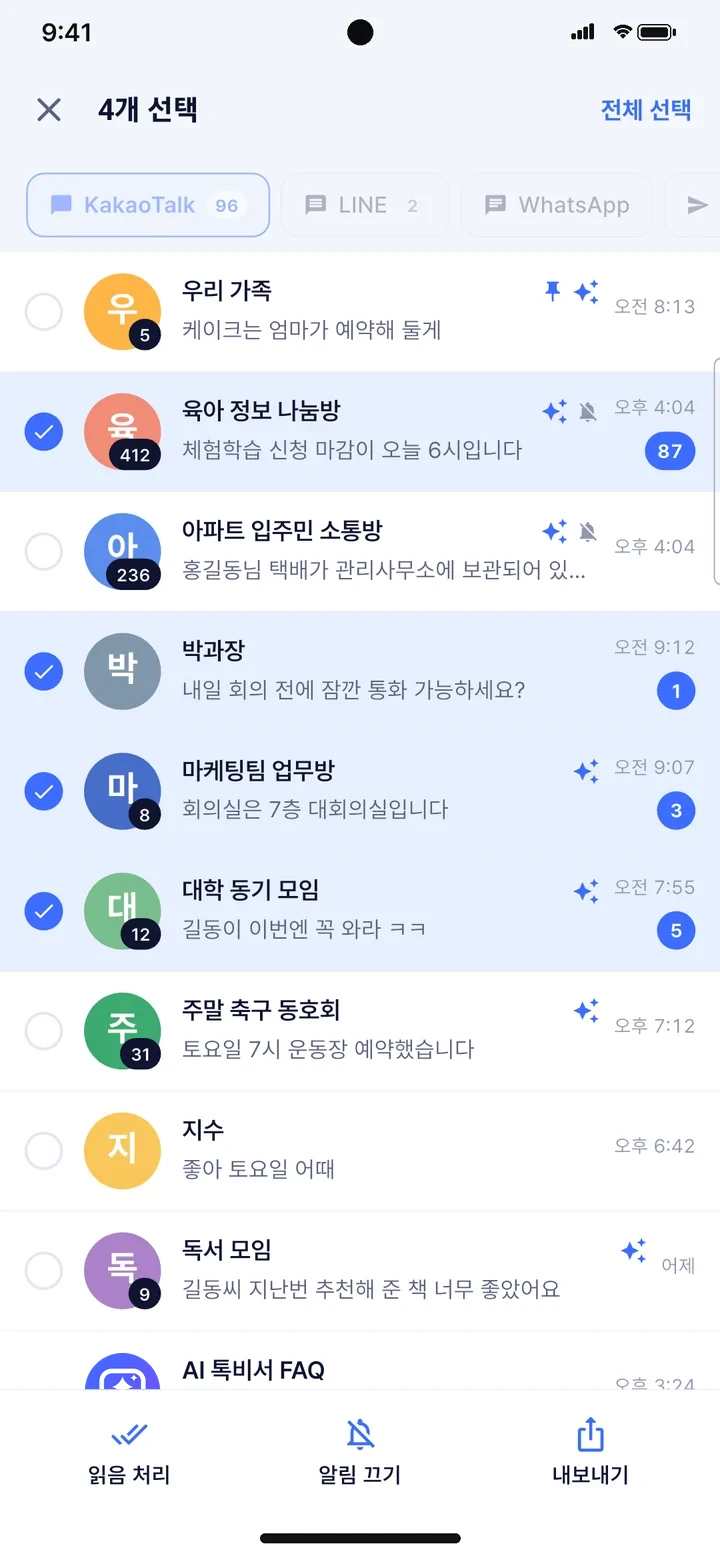
Pick the unread rooms, mark them read at once
- Unread rooms are preselected
- Mute or export several rooms at once
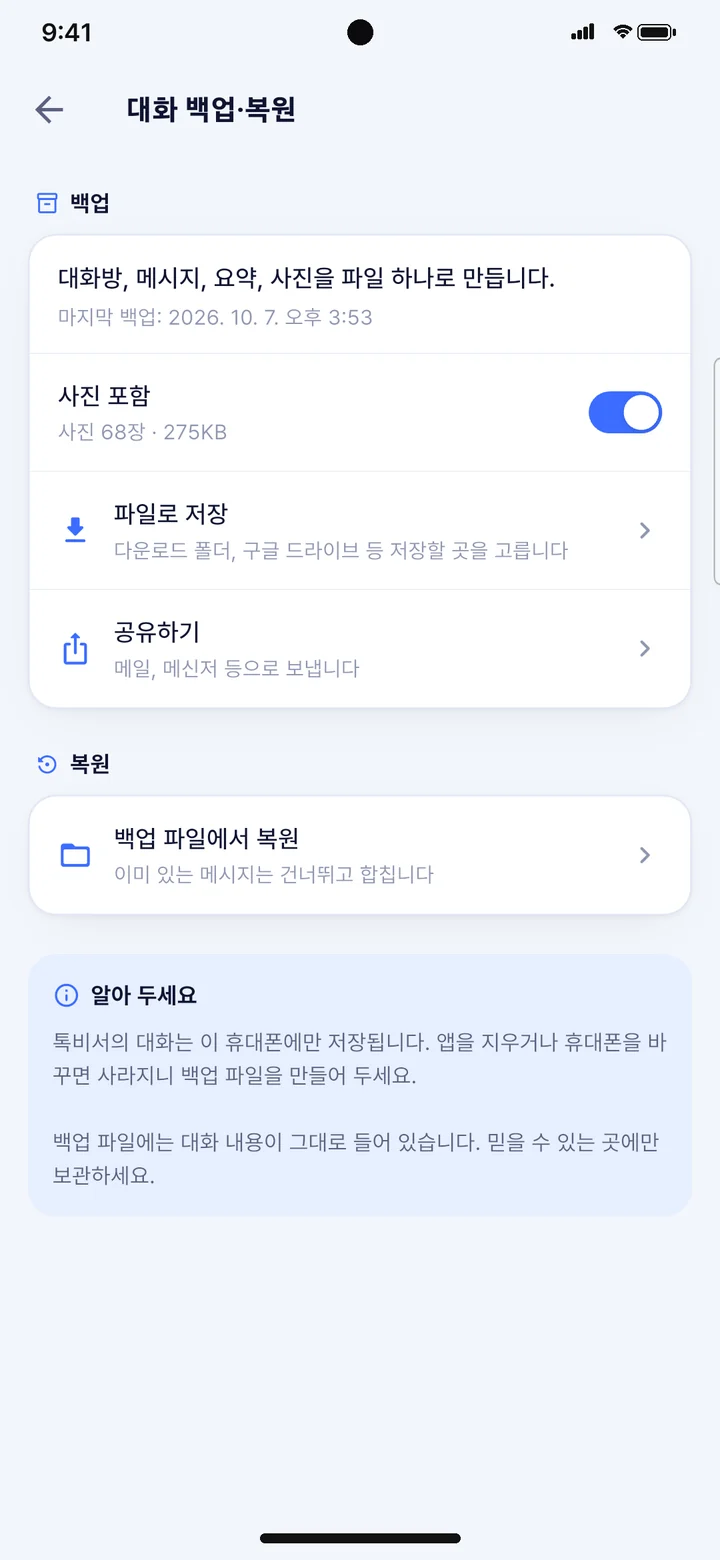
Chats as files, carried to a new phone
- Save and share as text files in the KakaoTalk export format
- Rooms, messages, summaries and photos in one backup file
- Restoring skips messages you already have and merges the rest
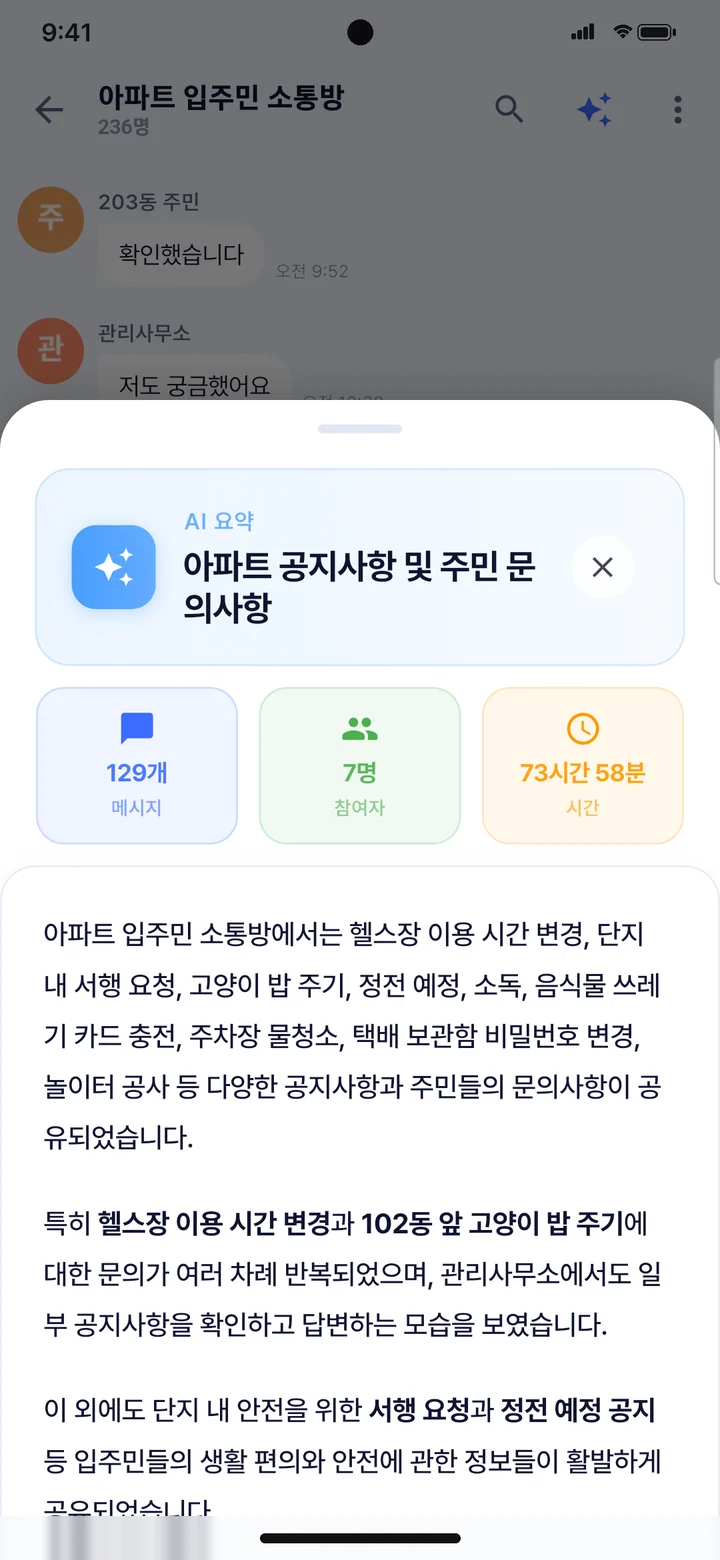
Hundreds of group messages, on one page
- Summarizes the group chat in order
- Message count, participants and duration at a glance
- Phone numbers, account numbers and other personal data are masked before sending
Personal data masked,
chats never kept.
- Collected chats are stored only on this phone. Finding important chats and plans also happens on the phone.
- Before anything is sent for a summary, phone numbers, emails, account numbers and other personal data are masked automatically.
- Chats used for a summary are not stored on the server.
- Summaries ask for your consent the first time you use them.
Frequently asked questions
How does it gather chats from different messengers?+
It collects the messenger notifications your phone receives, so you need to allow notification access the first time.
Will the sender see that I read it?+
You are reading the notification, so no read receipt is sent until you open that chat in the messenger app.
Can I see messages the sender deleted?+
Messages AI Talk Assistant received as notifications stay in the app even if the sender deletes them. Messages from before installation, or ones that never produced a notification, are not available.
Does it alert me in muted group chats?+
Yes. Even in rooms you muted in the app, you get an alert when your name or chosen words come up. Matching happens only on your phone.
Can I move my chats to a new phone?+
Create a backup file in Settings, Chat backup and restore, then restore it from the same screen on the new phone. Messages you already have are skipped and the rest are merged.
Where are summarized chats stored?+
Summaries run on an AI server, but chats are not stored there. Phone numbers, emails, account numbers and other personal data are masked automatically before sending.
Is it free?+
You can start for free. The free plan has daily limits on summaries and on alert words, and automatic summaries come with the Basic plan.
Is it on iPhone?+
For now it is Android only (Google Play).